

If you are doing any sort of campaign online, be it email marketing, banner ads on such websites as NZ Herald, you need to be using UTM codes.
UTM what?
UTM tagging! UTM stands for “Urchin Traffic Monitor”, Urchin being a web statistic analysis program that Google acquired in 2005. Following this acquisition, Google merged Urchin to its own monitoring/tracking system: Google Analytics. Even if Urchin doesn’t exist anymore, the name stuck.
So, basically, UTM parameters allow you to add some trackable extensions to your URLs. The parameters are:
- medium (mandatory): the medium the link was used upon. Examples: email, social_media…
- source (mandatory): the source or website the link is coming from. Examples: trade me, newsletter, android_app…
- campaign (mandatory): the way you will identify the links with the same medium and source.
- term (optional): if you are using paid search and/or referral, you will want to add this parameter with relevant keywords for your link to be better identified.
- content (optional): can be of interest if you’re A/B testing your links, so you can tell the versions apart.
To sum this up, UTM tagging is a simple and efficient way to categorize and organize the different sources of traffic coming to your website and identify their origins.
How to Track UTM Codes in Google Analytics
1) Set up UTM Codes
Using a URL Builder, add the URL, Campaign, Source, and Medium
I have created one you can download yourself and keep track of all your URLs
Check out this neat spreadsheet I have created which will make your life easy, creating and tracking your URLs
2) Use the Link in Your Marketing
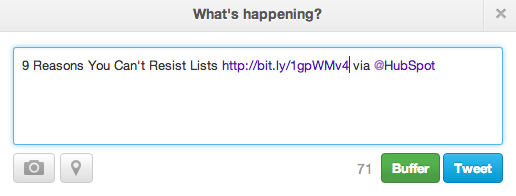
If you’d like to shorten it, you’ll need a tool like bitly or other link shortening service like goo.gl
3) Measure Your Success
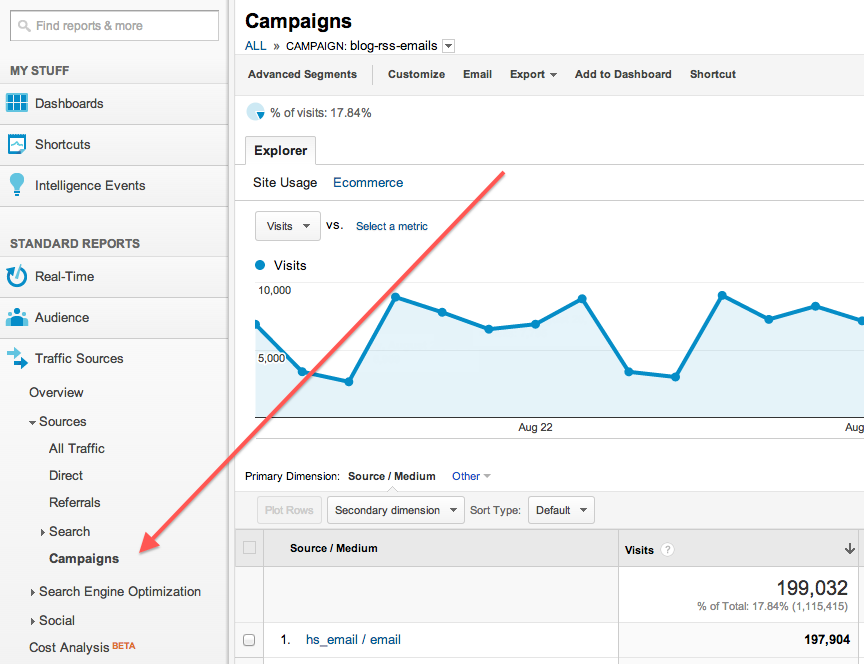
If you already have Google Analytics set up for your site, Google will automatically track incoming campaigns. You can access them under ‘Audience,’ then ‘Sources,’ then ‘Campaigns.’ Click on each campaign to view the source and medium.
And that’s it — you’ll have custom tracking codes set up and running in no time! In a few weeks, you’ll be able to make a case for what you need because you’ll have the right metrics available.
You now have the ability to track everything online and know what is working and what is not working.
If you need help with your UTM codes or to get some other tips about how to measure your marketing online and offline please give me a call on 0800 001 925.


