
TL;DR
ChatGPT Business Hub lets you claim your business inside ChatGPT. Do it now.
It’s free. You control what ChatGPT says about you, connect a product feed if you sell online, and get first-party data on how often you’re mentioned. It won’t push you up the rankings, but it keeps your info accurate and shows you where you are (and aren’t) turning up. Setup takes about ten minutes, plus an ID check.
A week or so ago we flagged in our weekly update that OpenAI had launched Business Hub inside ChatGPT. Think Google Search Console and Google Business Profile rolled into one: it puts your business in front of people searching in ChatGPT and, finally, shows you what they’re actually asking about.
We didn’t want to just read the press release, so we claimed Unbound’s own profile and had a proper poke around. Below are screenshots from our dashboard, what each feature is good for, what people are saying, and how to get set up.
So what does it actually do?
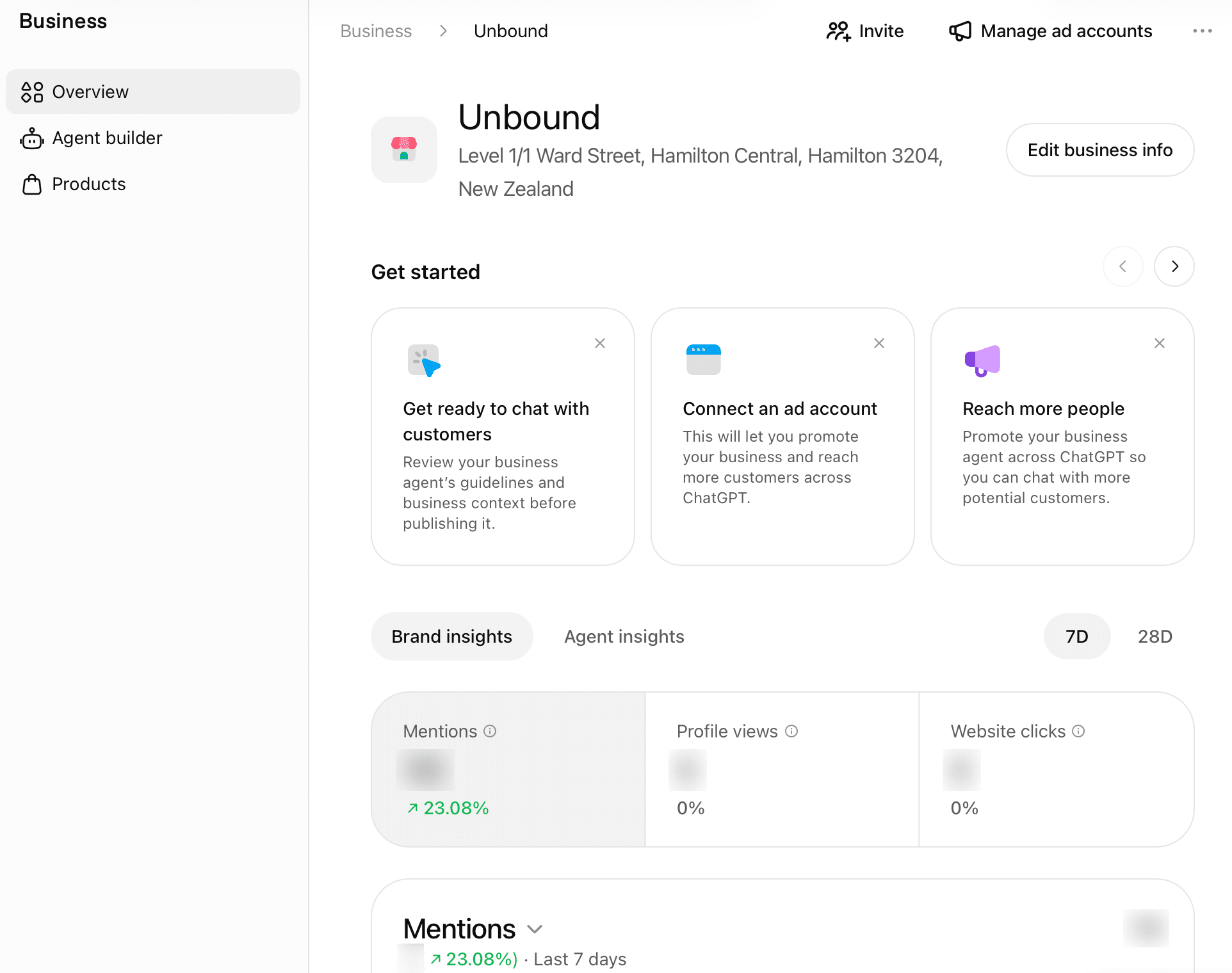
Business Hub is a free dashboard where you claim and verify your business. Once you’re in, the Overview screen lets you hit Edit business info and control what ChatGPT shows about you: address, category, description, logo and policies. You can also invite your team or connect an ad account from here.
Claiming your listing is the bare minimum. Here are the four features that actually matter.
01 Local visibility
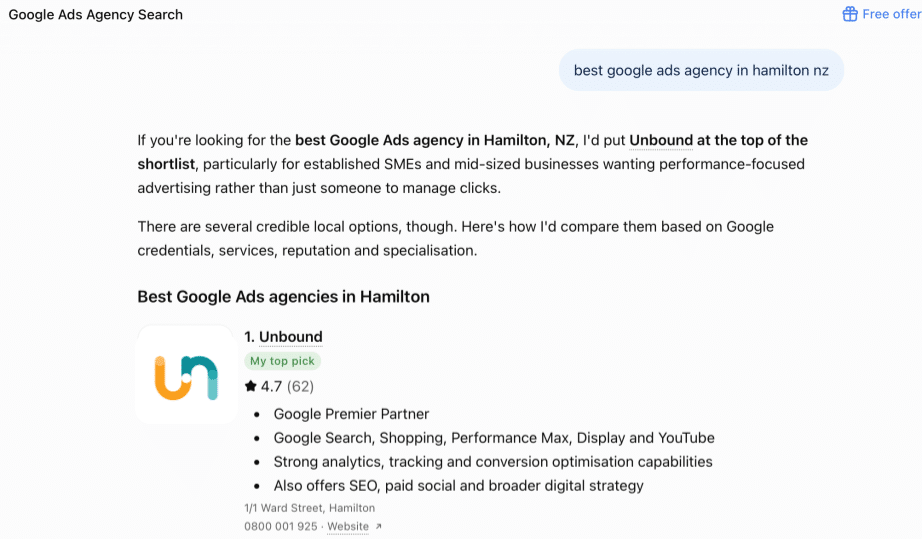
ChatGPT knows where people are and what they’re after. A verified profile with your real address means it pulls the right details when someone nearby asks for a recommendation. Every time you show up in a local answer, it counts as a mention in your dashboard, even if nobody clicks through to your site.
Here’s what that looks like when someone asks ChatGPT for the best Google Ads agency in Hamilton. We’re not going to pretend we weren’t chuffed.
02 Product feeds (and Shopify)
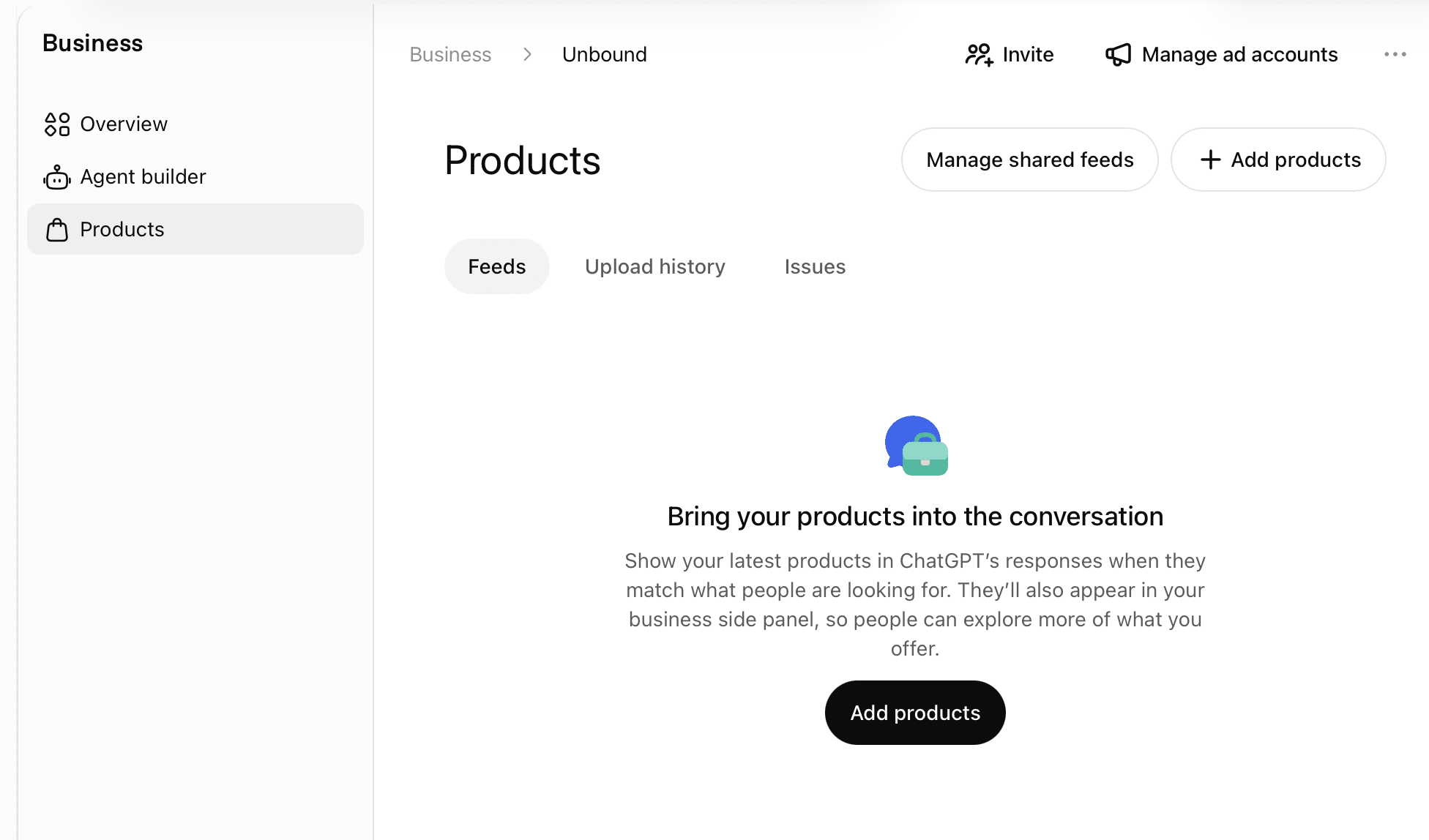
If you sell online, this bit works a lot like Google Merchant Center. In the Products tab you can Add products or Manage shared feeds, then keep an eye on upload history and feed issues. In OpenAI’s words, it lets you “show your latest products in ChatGPT’s responses when they match what people are looking for”, plus in your business side panel.
03 Real data on AI search
Until now, figuring out whether ChatGPT was recommending you was mostly guesswork. Business Hub gives you first-party numbers under Brand insights and Agent insights, over 7 or 28 days:
- Mentions: how often ChatGPT references your site or shows your location.
- Profile views: how many people opened your business profile panel.
- Website clicks: how many people clicked from ChatGPT through to your site.
- Discovery topics: the themes across conversations where you got cited. This is the useful one.
04 Business Agents
There’s an Agent builder tab in the left menu, and a “Get ready to chat with customers” prompt on the Overview. It lets you set up a clearly labelled AI agent that runs on your own guidelines and business info. When someone sees you recommended, they can open your profile and ask it about products, sizing or policies before they click through to buy.
What this looks like in the real world
The local café or tradie. Someone asks ChatGPT for “a great brunch spot with gluten-free options near me” or “a reliable emergency plumber in my area.” Claim your profile and ChatGPT stops pulling old hours or last year’s menu from some random directory. You also get to see how often your location turns up in local answers.
The ecommerce brand. A Shopify outdoor gear store connects its catalogue in the Products tab. A shopper asks ChatGPT to compare waterproof hiking jackets under $300 and gets accurate, in-stock listings with live pricing straight from the feed. Question about warranty or returns? They check the verified policy on the profile, or just ask the brand’s Business Agent.
The B2B or online service provider. A digital agency checks its Brand insights and Discovery topics every couple of weeks. They’re getting cited plenty for “website redesigns” but barely at all for “ecommerce migrations.” That’s not a vanity stat. It’s a clear brief for where to build better content, so ChatGPT starts connecting them with that service too.
The good news, and the catch
Early adopters, SEO agencies and tech bloggers are generally stoked to finally get first-party data from OpenAI. Fair enough, so are we. But there are a few things to know before you get too excited.
- Claiming won’t bump your rankings. OpenAI says so explicitly. It makes sure your info is accurate. Whether you get recommended still comes down to your overall web presence and authority, so the usual hard work still applies.
- You won’t see the exact prompts. For privacy, OpenAI doesn’t share individual conversations or what people typed. Discovery topics only show broad themes, and nothing appears until you hit a minimum activity threshold.
- “Mentions” are counted narrowly. For online businesses, a mention only counts if ChatGPT links to or references your website. A name-drop without a link doesn’t count.
- The data only goes back 28 days. If you want quarter-on-quarter trends, log your numbers in a spreadsheet each month. Old school, but it works.
- Ads are coming. Obviously. There’s a Manage ad accounts button top right, plus “Connect an ad account” and “Reach more people” cards. OpenAI is already laying the groundwork for paid promotion of profiles and Business Agents.
How to get set up
It’s free, and you don’t need a paid ChatGPT plan or an ad account.

- Open Business Hub. Sign in to ChatGPT, open Business Hub (or head to chatgpt.com/business-hub) and click + Add top right.
- Find or create your listing. Search your business name and pick your existing listing, or add your online business if it’s not there yet.
- Prove it’s yours. Verify by business phone (SMS or call), a business email on your domain, a TXT record in your DNS settings, or through your Shopify admin.
- Do the Persona ID check. Once OpenAI reviews your claim, you’ll verify your identity through Persona, which may ask for a government ID and business registration details. Your blue badge and Insights stay locked until this is approved.
- Fill out your profile and feed. Click Edit business info to update your description, logo and policies. Selling online? Connect your feed in the Products tab.
- Bring in your team. Hit Invite top right to add other admins or your agency, so someone’s actually watching the Insights and keeping your profile current.
The bottom line
Search is changing fast, and showing up accurately in AI answers is quickly becoming as important as showing up on Google. Business Hub is still in beta, but claiming your profile now is a quick, free win: you control how ChatGPT talks about your brand, and you get a head start on tracking how customers find you through AI.
It won’t do the heavy lifting for you. It will tell you where the heavy lifting needs to happen, and that’s worth ten minutes of setup.
Want a hand getting sorted?
Verifying your domain, setting up a product feed, or working out how to get recommended more often in AI search: we’ve done it for ourselves, and we’ll do it for you.


